

Searchable.com describes itself as an AI search platform that helps brands and agencies understand, track and improve how they appear in AI-generated answers, but none of that tracking means much if the crawlers behind those answers cannot reach your pages. This guide stays with the plumbing. It covers which bots fetch what, how robots.txt rules interact with AI search products, what indexing still requires, and which snippet controls change what Google can quote.
Run This Eligibility Checklist Before Anything Else
Some AI visibility problems that look like content problems are really access problems. Work through these checks first, in any order, and write down which ones fail.
- Googlebot is not blocked in robots.txt, and key pages return HTTP 200 with indexable content.
- Pages you want in AI Overviews or AI Mode are indexed and eligible to show with a snippet.
- OAI-SearchBot, PerplexityBot and Claude-SearchBot are not blocked, if you want to appear in those search products.
- Training crawlers such as GPTBot and ClaudeBot are allowed or disallowed on purpose, not by accident.
- No stray nosnippet, max-snippet or noindex directives sit on pages you want quoted.
- Structured data matches what a visitor can actually see on the page.
- Images, video, Merchant Center feeds and Business Profile details are current.
How to read a failed check
Each item maps to a section below. The list draws on documentation published by Google, OpenAI, Perplexity and Anthropic rather than on any single tool, so it applies whether or not you use a visibility platform.
Tip. Save a dated copy of your robots.txt before you change it. When a visibility report moves weeks later, you will want to know whether the file changed or the engines did.
Which AI Crawlers Do What?
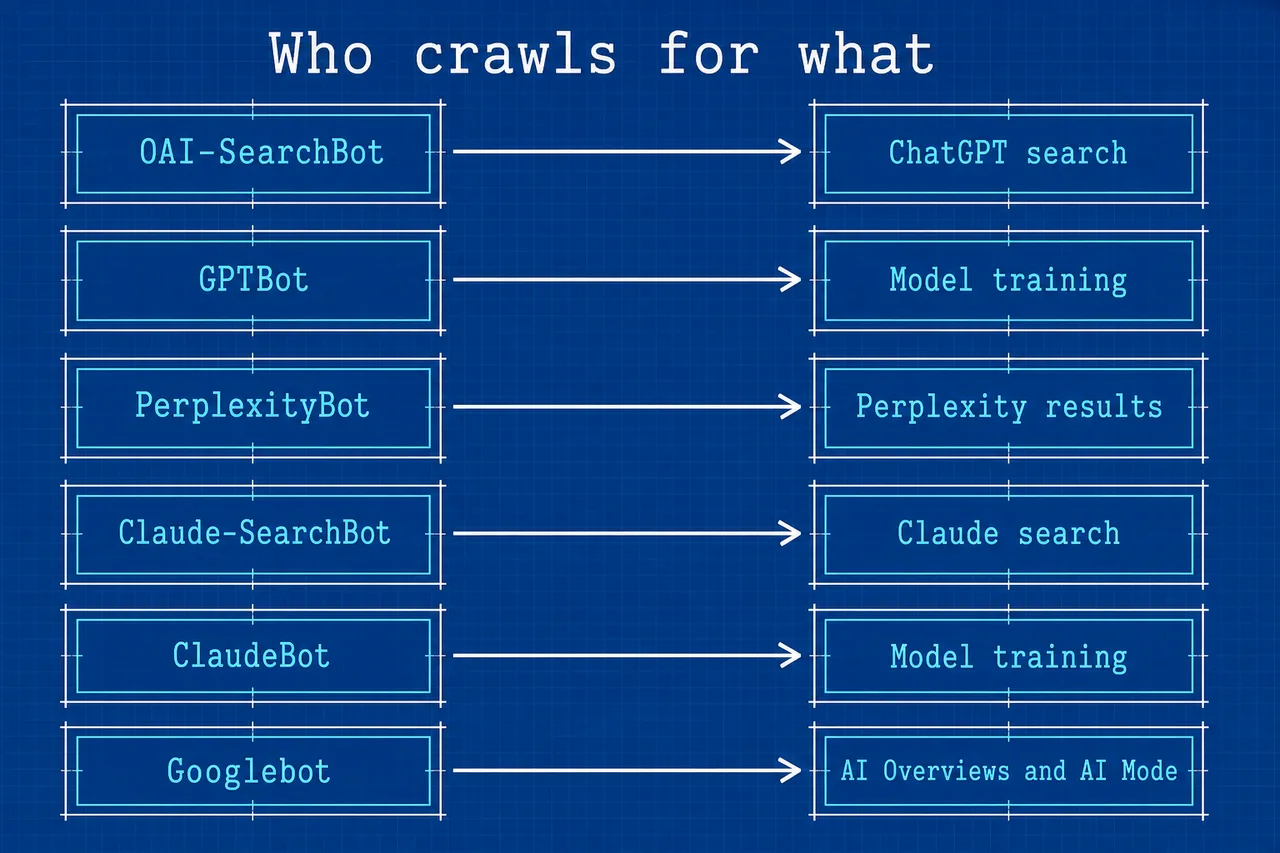
The biggest source of confusion is that each AI company runs more than one crawler, and they do different jobs. Some fetch pages to train models. Others fetch pages so a search product can surface and link them. A third group acts when a user asks the assistant to look something up.
| Vendor | Crawler | Stated purpose |
|---|---|---|
| OpenAI | OAI-SearchBot | Surfaces sites in ChatGPT search |
| OpenAI | GPTBot | Crawls for model training |
| OpenAI | ChatGPT-User | User-initiated requests |
| Perplexity | PerplexityBot | Surfaces and links sites in Perplexity results, not used for foundation model training |
| Perplexity | Perplexity-User | Supports user actions |
| Anthropic | ClaudeBot | Training |
| Anthropic | Claude-User | User requests |
| Anthropic | Claude-SearchBot | Search quality |
Training and search are separate switches
OpenAI states that disallowing GPTBot is independent of search, and that sites should allow OAI-SearchBot if they want to appear in ChatGPT search answers. Perplexity says PerplexityBot is not used for foundation model training. Anthropic says its three agents are controlled through robots.txt.
The practical upshot is that a publisher can decline training use and still stay eligible for search-style citations, at least with the vendors that document the split. The OpenAI crawler documentation is the plainest written example of the distinction.
Note. Google works differently. Its guidance for AI Overviews and AI Mode names no separate AI crawler. It says Googlebot must not be blocked and the page must be indexed and eligible to show with a snippet.
Write robots.txt Rules That Match Your Intent
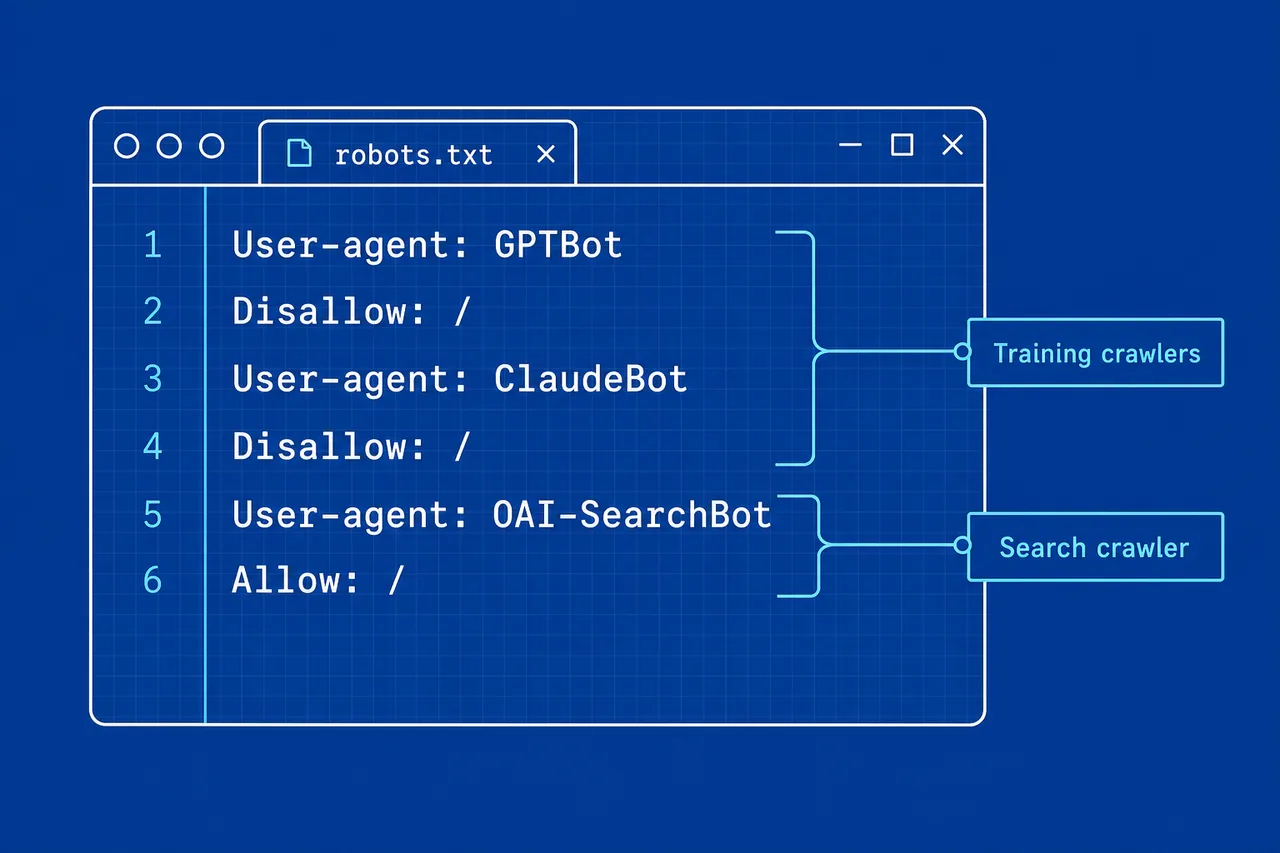
robots.txt is where most of these choices are expressed. The file groups rules under a user-agent name, so each crawler in the table above can be addressed on its own. That granularity is useful, but it also means one broad rule can switch off far more than intended.
A four-step way to set the rules
- List the AI products where you want to be cited, such as ChatGPT search, Perplexity or Claude.
- Match each product to the search or user crawler its vendor documents.
- Decide, as a separate question, whether you allow the training crawlers.
- Write one group per crawler, then re-read the whole file for any catch-all rule that overrides your intent.
Example. An illustrative file for a site that wants search citations but no training use would hold a group for GPTBot with Disallow: / and a group for ClaudeBot with Disallow: /, while leaving OAI-SearchBot, PerplexityBot and Claude-SearchBot without any blocking rule. Check each vendor’s page for the exact user-agent tokens before copying a pattern like this.
Where Searchable’s advice and the vendor pages diverge
Searchable’s article on answer engine optimization lists allowing AI crawlers such as GPTBot, PerplexityBot and ClaudeBot as one of its five steps. Read against the vendor documentation, that list mixes purposes. GPTBot and ClaudeBot are described as training crawlers, while PerplexityBot is a search crawler.
Allowing training crawlers may be a reasonable choice for some sites. It is simply a different choice from allowing search crawlers, and the two are worth deciding one at a time.
Caveat. Whether to allow or block any crawler is a site-policy decision about how your content is used. This guide is not legal advice, and licensing or contract questions belong with your own adviser.
Indexing Is Still the Entry Ticket for Google’s AI Features
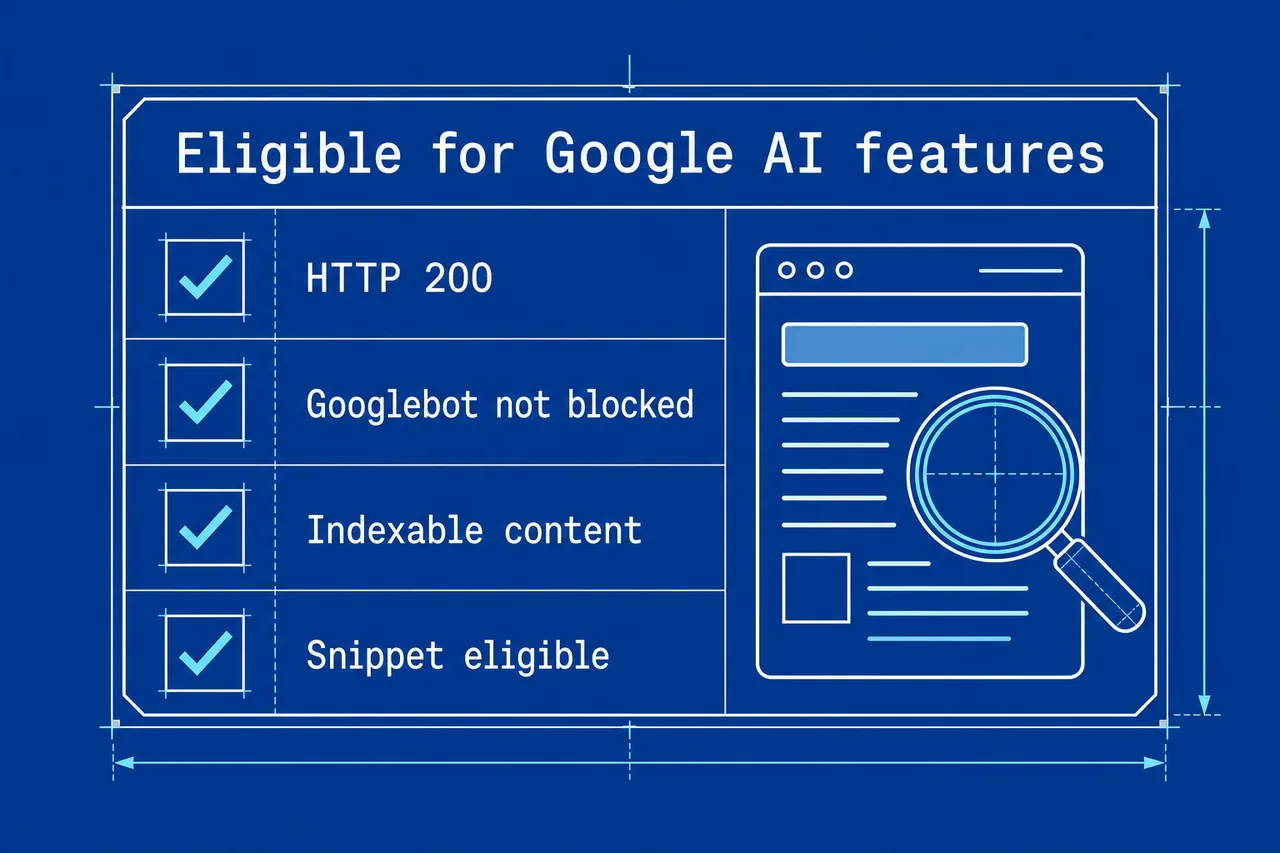
Google’s page on AI features and your website is unusually direct. It says: “There are no additional requirements to appear in AI Overviews or AI Mode, nor other special optimizations necessary.” A page has to be indexed and eligible to show with a snippet, the same bar as an ordinary result.
The basics Google’s own team points to
A May 2025 post on the Google Search Central blog by John Mueller set out the technical basics for succeeding in AI search. Taken roughly in the order a crawl meets them, they are:
- Make sure Googlebot is not blocked.
- Return an HTTP 200 status on pages you want shown.
- Serve content that is indexable.
- Use preview controls deliberately.
- Keep structured data consistent with the visible content.
- Keep images, video, Merchant Center and Business Profile information up to date.
The same post recommends unique, non-commodity content and a good page experience. Those are less technical, but they sit on the same foundation and do nothing for a page Google cannot index.
Warning. Markup that describes things a visitor cannot see conflicts with Google’s guidance that structured data must match visible content. Adding schema in the hope of an AI boost is not something Google’s AI features page asks for.
Bing’s guidance for its AI surfaces adds two indexing-side items of its own, IndexNow for signalling fresh content and an up-to-date Bing Places listing.
Snippet Controls Decide How Much Google Can Quote
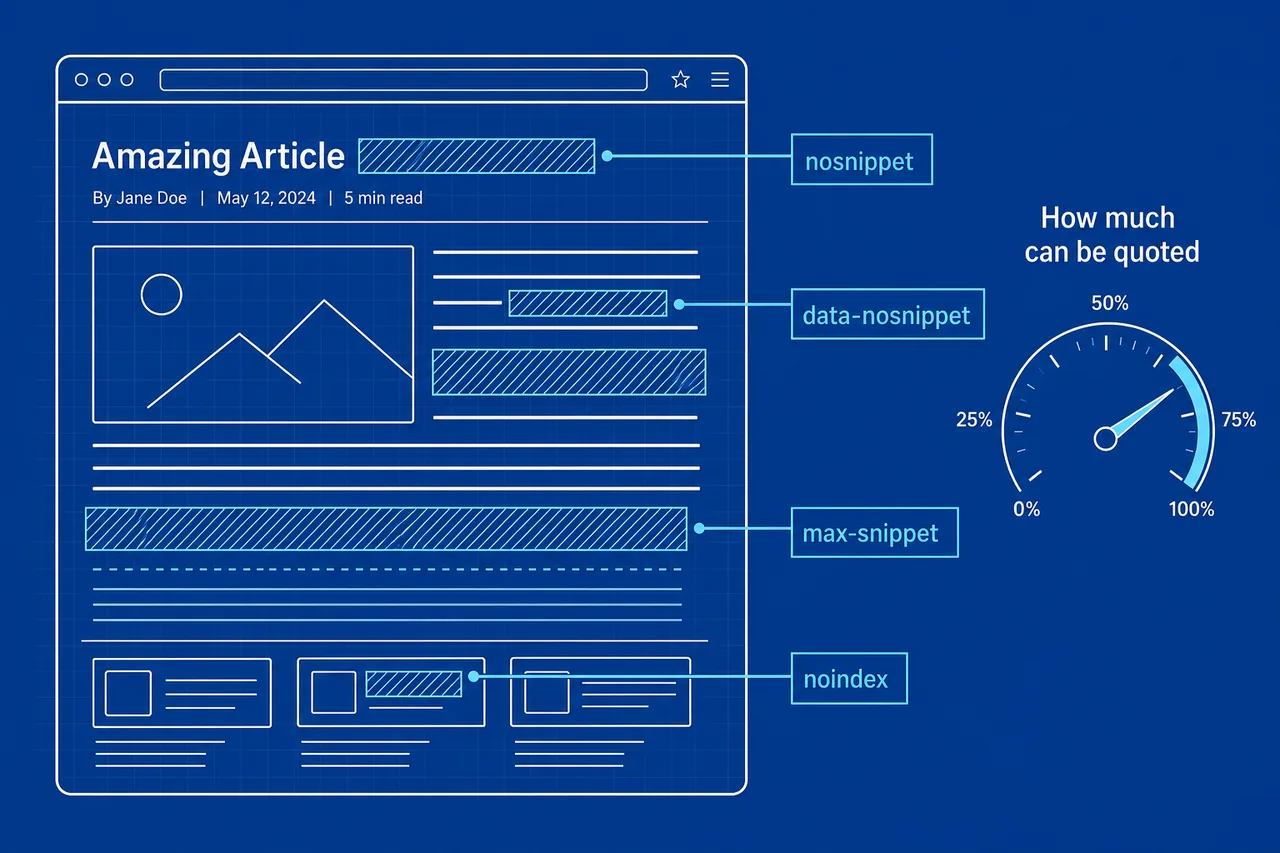
Google lists four controls that apply to how content appears in its AI features. They are the same preview controls used for ordinary results, which is why they deserve a careful look before anyone reaches for an AI-specific fix.
| Control | Scope | Effect |
|---|---|---|
| nosnippet | Whole page | No text snippet is shown for the page |
| data-nosnippet | A marked section of a page | That section is kept out of snippets |
| max-snippet | Whole page | Caps how long a snippet can be |
| noindex | Whole page | Keeps the page out of the index |
The trade-off in plain terms
Because AI Overviews need a page that is eligible to show with a snippet, a page-wide nosnippet or a very low max-snippet value limits what Google can draw from it. data-nosnippet is the narrower tool. It keeps a specific block, such as pricing small print, out of previews while the rest of the page stays quotable.
noindex is the bluntest option. It removes the page from consideration for regular results and AI features alike, so it belongs only on pages you never want surfaced.
Tip. Audit templates rather than single pages. A snippet directive added to a shared template for one reason can quietly apply to hundreds of URLs.
Where Searchable.com Fits in a Crawler and Indexing Review
Searchable’s part in this work is mostly diagnostic. Its home page FAQ mentions technical site audits alongside AEO scoring and content optimization tools, and its LLM Analytics feature is built around crawler data. The feature page lists three things it reports:
- AI crawler activity on your site
- Bot types, which may help tell training and search crawlers apart
- Crawl-to-click attribution
Limits to keep in mind
LLM Analytics is marked beta on Searchable’s own site, so treat its numbers as directional for now. Searchable’s terms also state that it does not warrant the service will be uninterrupted or error-free. That is worth remembering before a crawler report alone drives a robots.txt change.
The useful sequence is to fix access first and measure second. If OAI-SearchBot was blocked for months, a low ChatGPT visibility score says more about the file than about the content, and the score only becomes informative once the block is lifted and the engine has had time to fetch the pages again.
Note. A crawler report shows that bots arrived. It does not explain why an engine did or did not cite you, so pair it with the indexing and snippet checks above rather than using it in their place.
Technical Questions Site Owners Ask
Does blocking GPTBot remove a site from ChatGPT search?
According to OpenAI, no. GPTBot is the training crawler, and disallowing it is independent of search. Showing up in ChatGPT search answers depends on allowing OAI-SearchBot.
Which Perplexity crawler matters for citations?
PerplexityBot, which surfaces and links sites in Perplexity results. Perplexity says it is not used for foundation model training. Perplexity-User handles actions a user asks for.
Warning. A blanket disallow for every user agent also blocks Googlebot and the search crawlers listed above, which would undo most of this checklist in one line.
Do AI Overviews need special markup or a separate file?
Google says no special optimizations are necessary beyond being indexed and snippet-eligible. Searchable’s own article on ranking in AI Overviews reaches a similar view, saying llms.txt, schema and chunking are not needed for AI Overviews.
What is llms.txt, then?
It is a proposal by Jeremy Howard, published on 3 September 2024, for a markdown file at /llms.txt that helps AI agents use a site. Google’s AI features page does not list it as a requirement.
Will Search Console show AI Overview clicks separately?
No. Google counts traffic from AI features within the Web search type of the Search Console Performance report, so it is blended with ordinary results.
How often should these settings be rechecked?
Whenever robots.txt, templates or the vendors’ crawler lists change. Crawler names and purposes are set by each vendor and can be revised.
Caveat. The crawler names and purposes in this guide reflect the official vendor pages as checked on 1 October 2026. Recheck those pages before editing your file.